GPS and barometer fusion keeps your elevation fast and steady. Record a track with one tap, replay it in 3D, and let all-day footprints remember where you have been. Available on iOS and HarmonyOS — free on the App Store and HUAWEI AppGallery.
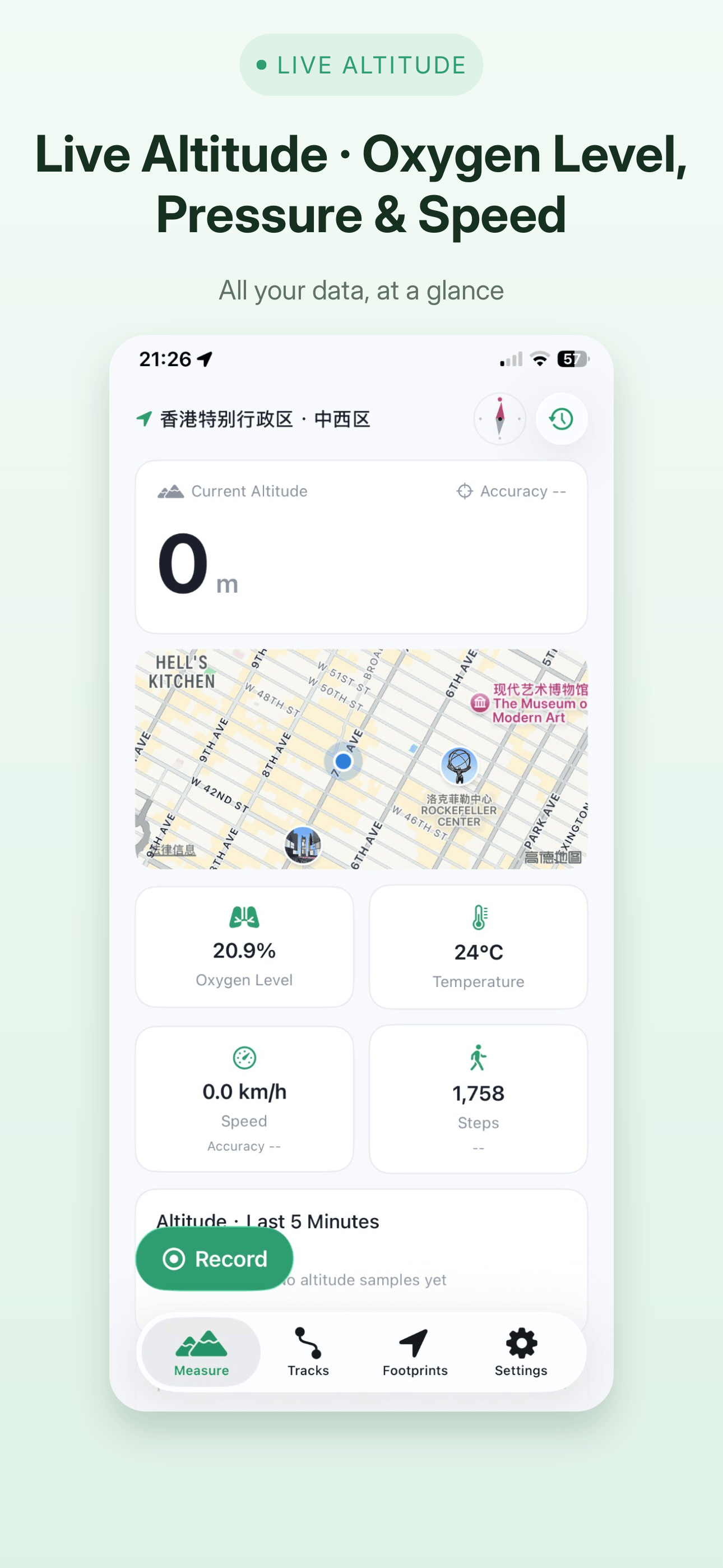
Fused GPS and barometer data show altitude, pressure, relative elevation change, speed and oxygen level in real time, plus trends from the last 5 minutes.
One-tap track recording
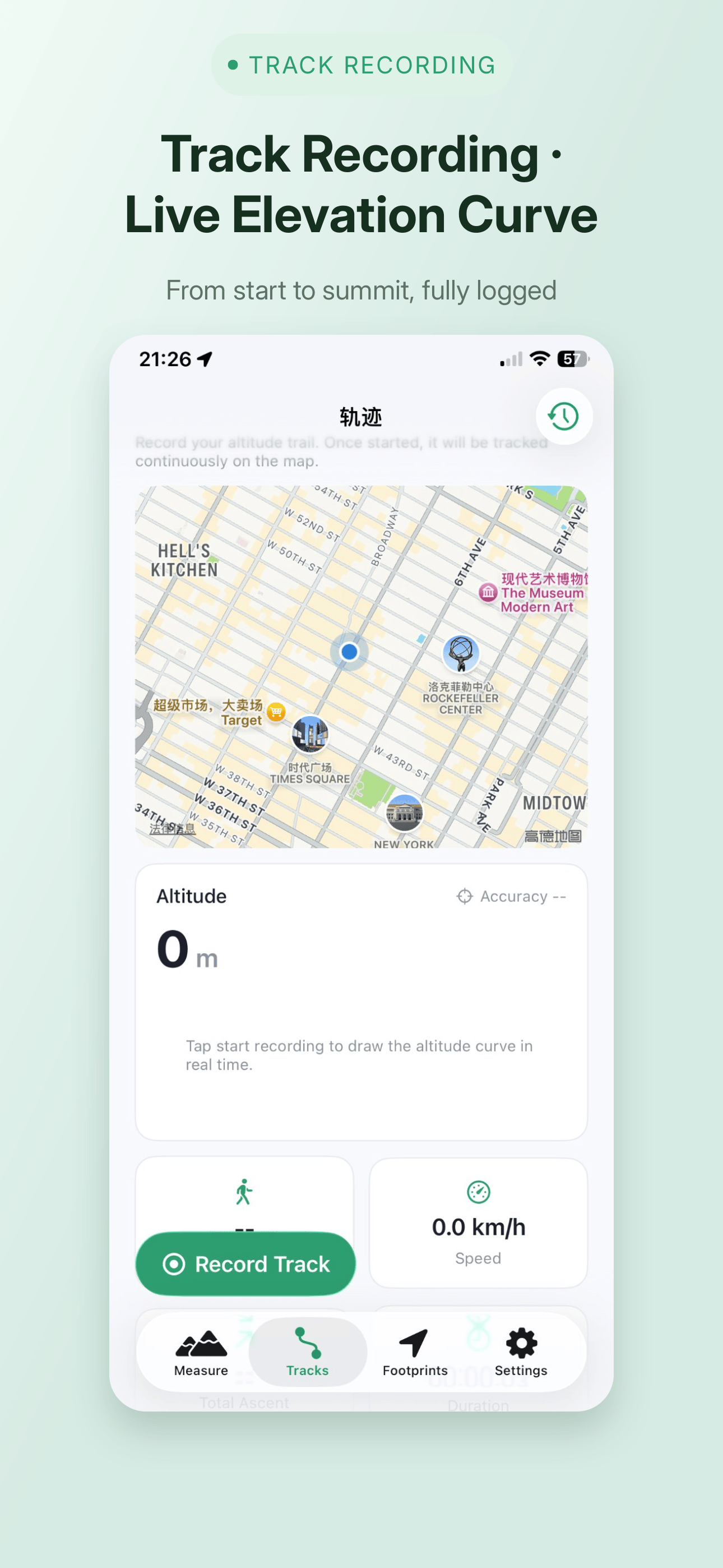
Start, pause, save — three steps. Recording continues in the background or with the screen locked, with an elevation profile, map and 3D view in the details.
3D track replay and sharing
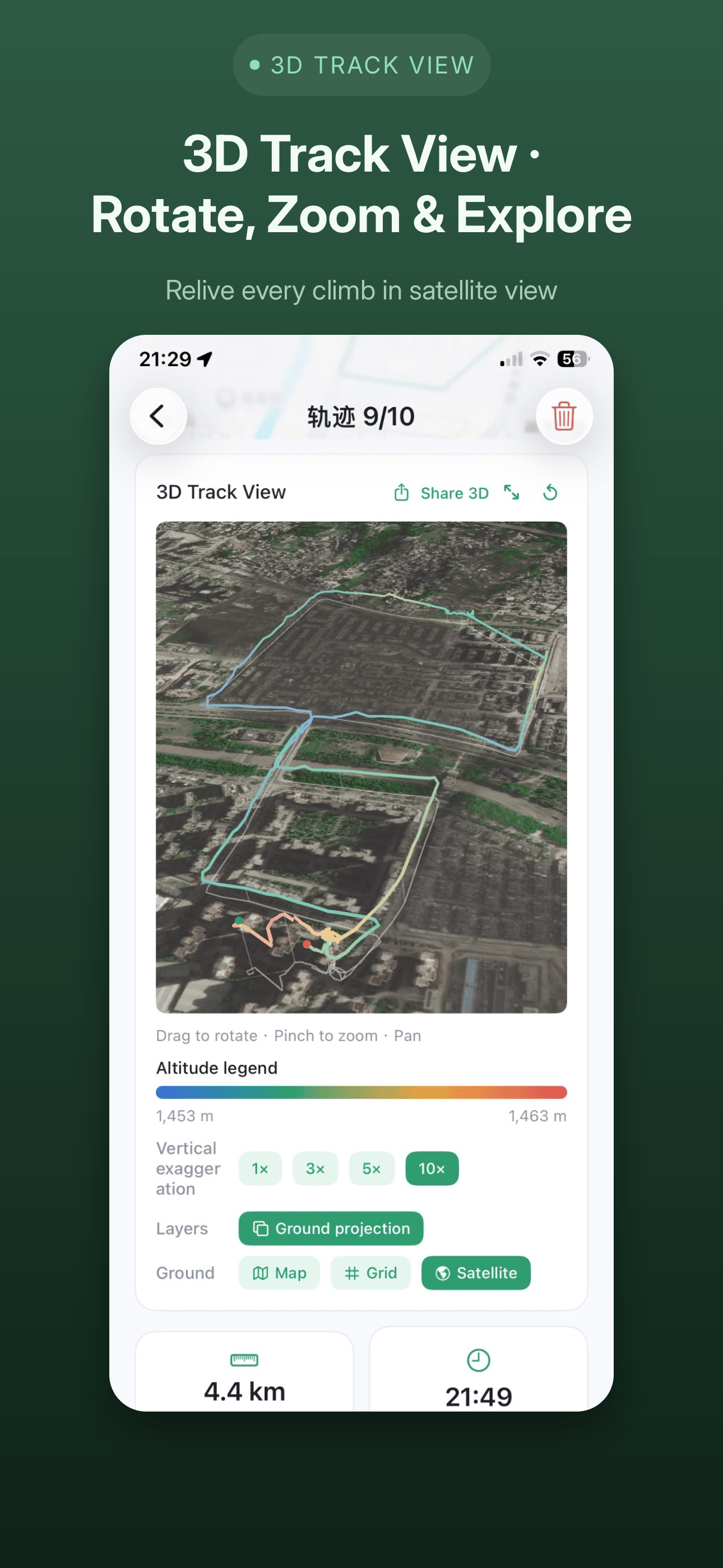
Turn the route you walked into a 3D track: rotate, zoom and pan freely, colored by altitude, with the ground switchable between grid, map and satellite imagery plus projection. Then create a shareable card to save or send to friends.
Platform note: the 3D ground offers grid / map / satellite imagery on iOS, and grid / map on HarmonyOS.
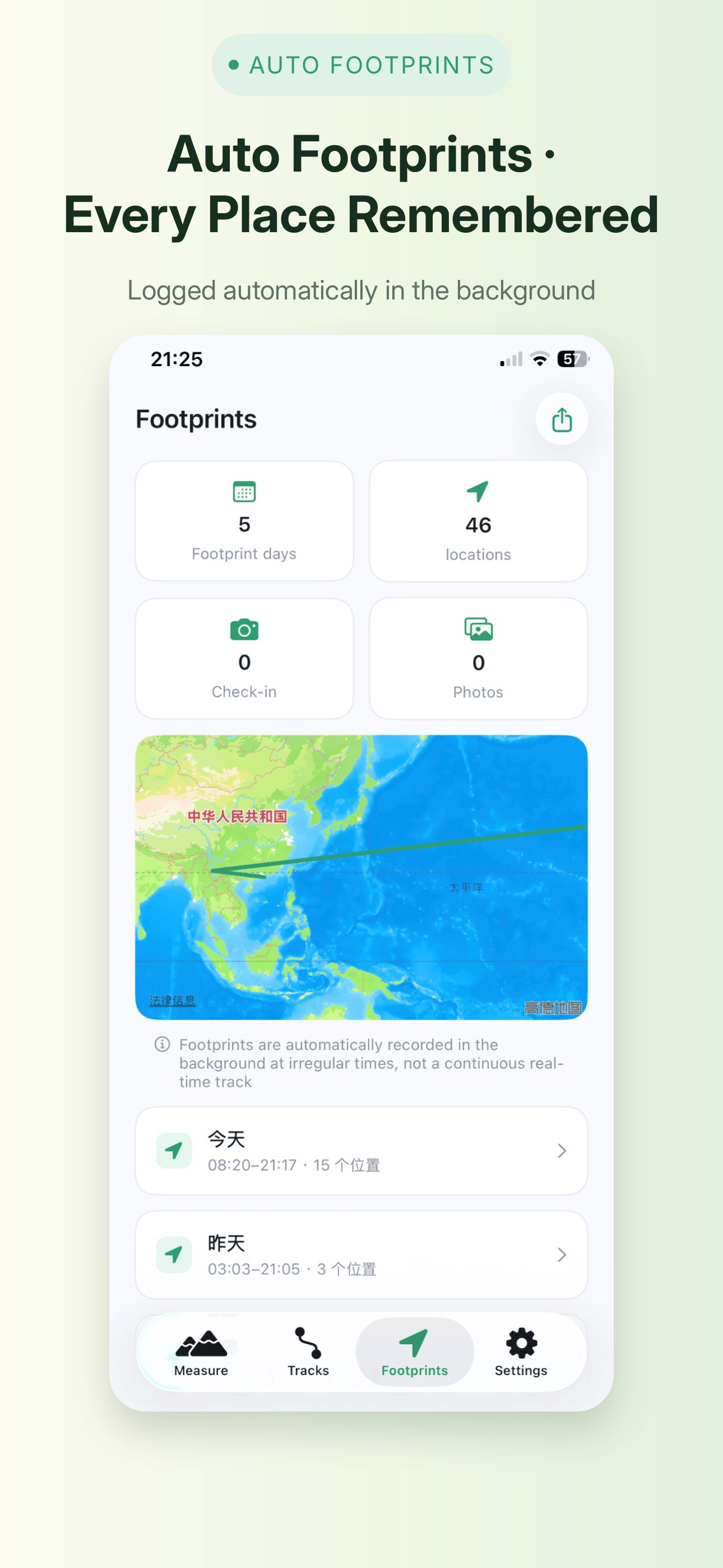
All-day footprints
Low-power significant-location-change wakeups log the places you visit in the background, no manual check-in needed. Every point carries altitude, pressure, temperature, speed and location accuracy, with photos and notes.
Platform note: on iOS the system wakes the app with low-power location changes, so footprints keep being logged after you leave the app; on HarmonyOS the app must keep running in the background.
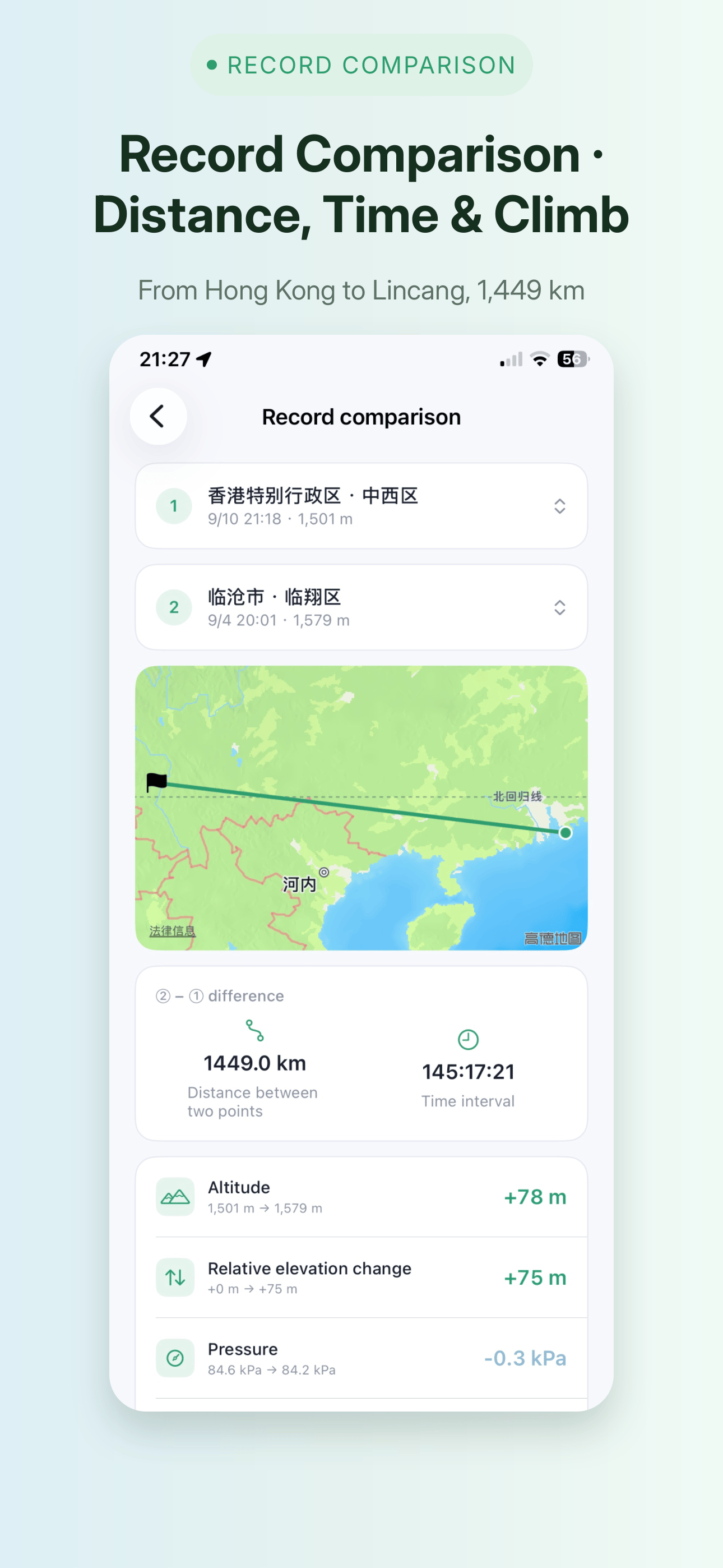
Record comparison
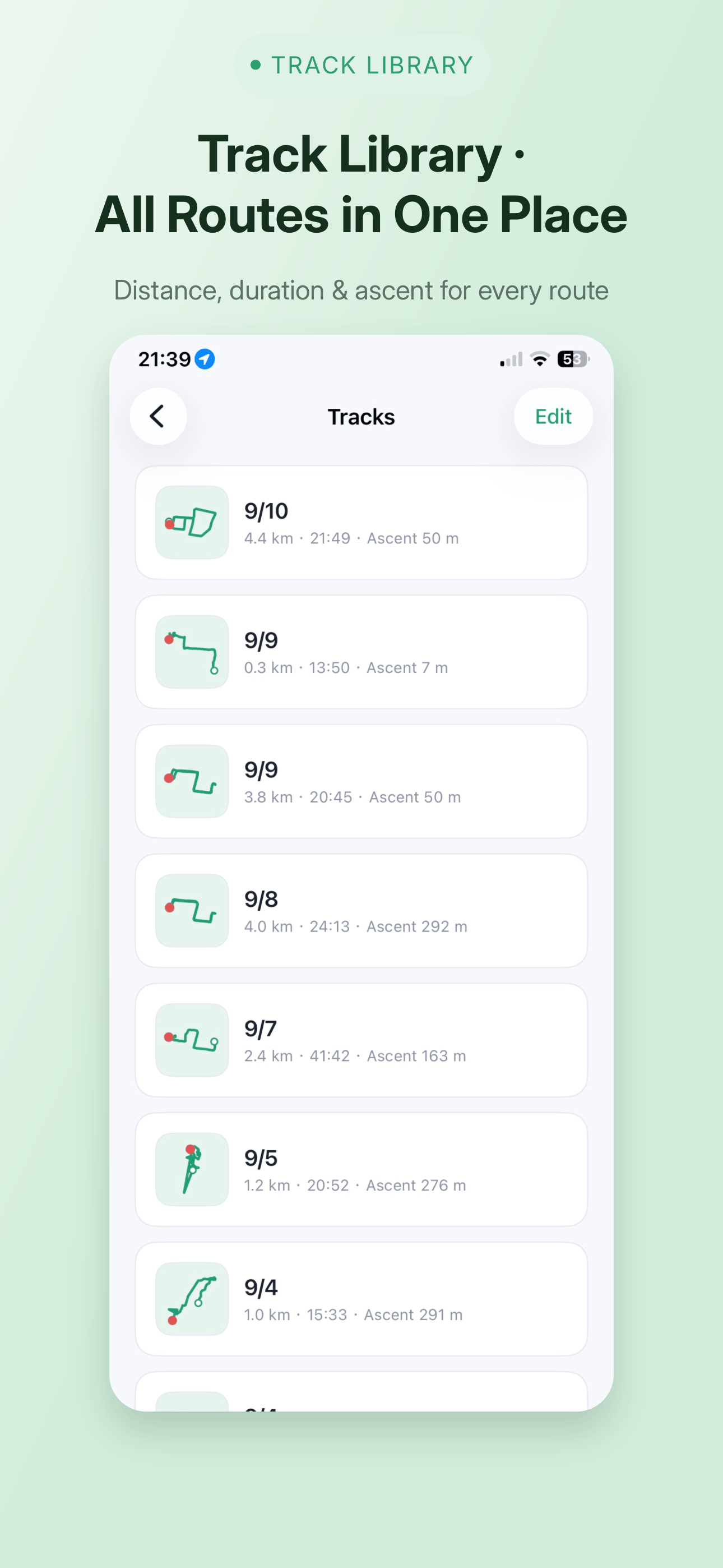
Put any two records side by side: differences in altitude, distance and elapsed time, settled in one look. Same route — how much did this time differ from the last? Now you know.
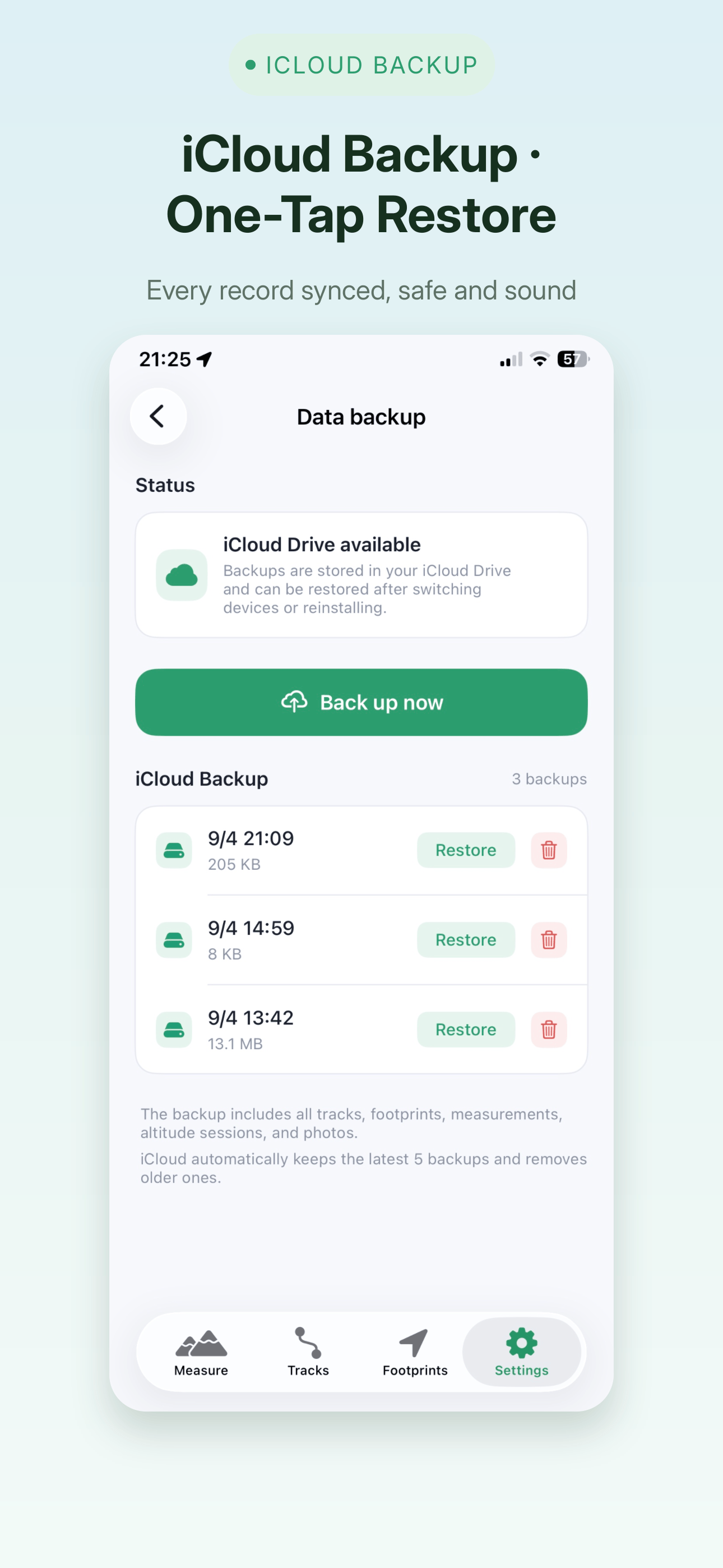
Import, export, backup
Import GPX and KML tracks; export tracks as GPX and footprints as CSV. Back everything up to the cloud with one tap — a private iCloud container on iOS, HUAWEI Cloud on HarmonyOS — and restore it on a new device.
Platform note: the HarmonyOS version can also export a backup as a zip file, or import one back.
10 languages, metric or imperial
Switch between Simplified and Traditional Chinese, English, Japanese, Korean, French, German, Spanish, Italian and Russian, and between metric and imperial units.
iOS and HarmonyOS, the same AltiView
Both platforms share every core capability; the few that differ do so because of what the system allows — listed honestly below
In both versions
Live altitude, pressure, oxygen level and speed from fused GPS and barometer data
Start / pause / save a track, recording continues in the background or with the screen locked
Elevation profile, 2D map and 3D track view with free rotate, zoom and pan
All-day footprint logging, with photos and notes on each point
Compare any two records side by side: altitude, distance and elapsed time
Import GPX / KML, export tracks as GPX and footprints as CSV
10 interface languages, metric or imperial units
Where they differ
Cloud backup: iOS writes to your own private iCloud container; HarmonyOS writes to HUAWEI Cloud, and can also export a backup as a zip file or import one back.
All-day footprints: iOS is woken by the system's low-power location changes, so it keeps logging after you leave the app; HarmonyOS relies on a system long-running task and needs the app running in the background.
3D track ground: grid, map and satellite imagery on iOS; grid and map on HarmonyOS.
Weather and temperature: the home weather card and per-point temperature are iOS only (HarmonyOS does not expose a weather service to third-party apps).
Dark mode: HarmonyOS follows the system light / dark theme; iOS is light only.
Screenshots
Swipe to see AltiView in action
Get started
Log every climb and every journey
From today, your altitude, tracks and footprints are all clearly recorded and ready to revisit. Free for iPhone, iPad and HarmonyOS devices.
Privacy: your data stays on your device, with cloud backup under your control — iCloud's private container on iOS, HUAWEI Cloud on HarmonyOS
Developed by Fengwei Software
 Download on AppGallery